
Updated: November 10, 2026 | Platform: IRCTC Website and Rail Connect App | Category: Technology
Quick Answer: How to Fix IRCTC 500 Exception Error
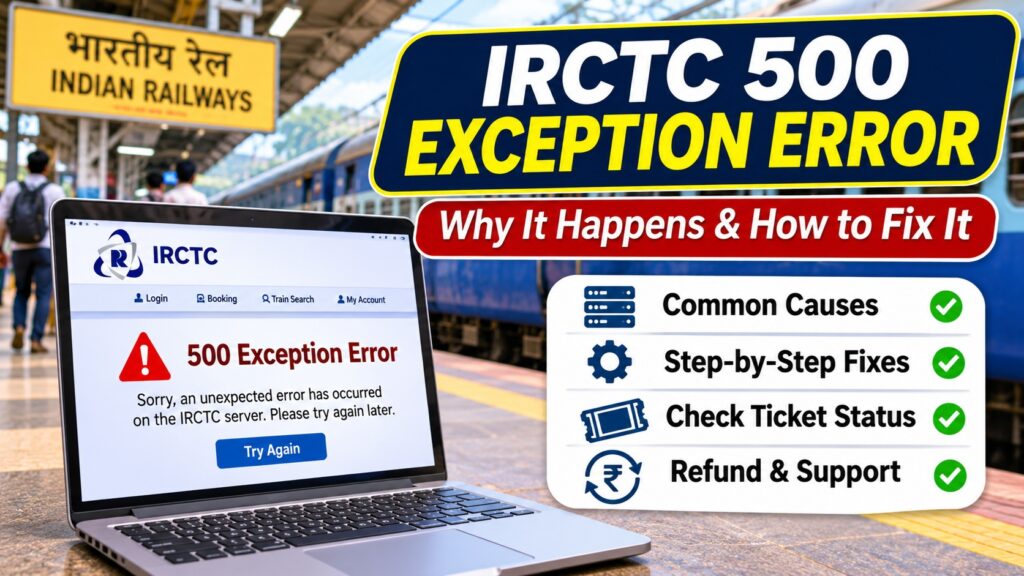
The 500 Exception Error on IRCTC generally means that the ticket-booking system encountered an unexpected server-side problem while processing your request.
If it appears during login, train search or Tatkal booking, wait briefly, reopen the official IRCTC website, and try again. You can also try a private browser window, clear IRCTC site data or switch networks.
If the error appears after payment, do not immediately book again. First check My Account → My Transactions → Booked Ticket History to see whether a ticket was issued.
Official website: www.irctc.co.in
What Does 500 Exception Error Mean on IRCTC?
An HTTP 500 error normally indicates an internal server error. The server received a request but could not complete it successfully.
On IRCTC, users may encounter this type of problem while:
- Signing into their IRCTC account.
- Searching for trains and available seats.
- Opening passenger details.
- Booking Tatkal tickets.
- Completing UPI, card or net banking payments.
- Loading a ticket confirmation page.
- Checking booking history or other account services.
However, not every IRCTC message containing the number 500 necessarily represents a standard HTTP 500 response. The exact cause depends on the error message and where it appears.
There is no confirmed evidence that every occurrence has the same technical cause.
Also Read : Eskom I-ECNS Licence Transfer: 2026 Update
Why Does IRCTC Show a 500 Exception Error?
| Possible Cause | Explanation |
|---|---|
| Temporary server failure | An application or backend service cannot complete the request. |
| High booking traffic | Large numbers of simultaneous requests may contribute to timeouts or processing failures. |
| Expired login session | Authentication or session data may no longer be valid. |
| Browser data problem | Old cookies or cached session information may interfere with a new request. |
| Payment communication failure | The booking system, payment gateway or bank may fail to exchange a response successfully. |
| App or browser compatibility | An outdated application or browser may cause certain requests to fail. |
| Network interruption | An unstable connection can interrupt the booking process. |
These are troubleshooting possibilities, not confirmed root causes of a specific IRCTC incident.
Fix 1: Wait and Try Again
If the error appears before you have made a payment, wait a few minutes and try opening IRCTC again.
- Close the affected page.
- Wait two to five minutes.
- Open the official IRCTC website.
- Sign in again if required.
- Repeat the train search or other action.
If the same error continues, try the next troubleshooting method.
Important: Do not repeatedly submit payment requests while a previous booking outcome is unknown.
Fix 2: Check Whether the Problem Is on IRCTC’s Side
Before changing your phone or computer settings, check whether other IRCTC services are responding normally.
- Open the IRCTC homepage.
- Check whether login works.
- Try a simple train search without proceeding to payment.
- Check official IRCTC communications for service notices.
- If multiple services fail, allow time for the problem to be resolved.
If the server is unavailable, clearing your browser cache will not repair the underlying server issue.
Fix 3: Clear IRCTC Cookies and Cached Site Data
Old browser data can sometimes interfere with a website session.
Google Chrome
- Open Chrome.
- Go to Settings.
- Select Privacy and security.
- Open the site data settings.
- Find stored data for irctc.co.in.
- Remove the relevant site data.
- Reopen IRCTC and sign in again.
Removing site data may sign you out. It does not delete tickets already stored in your IRCTC account.
Fix 4: Try Incognito Mode or Another Browser
A private browser window can help determine whether saved cookies or browser extensions are contributing to the problem.
- Open an Incognito or private browsing window.
- Visit https://www.irctc.co.in/ directly.
- Sign in normally.
- Repeat the action that previously failed.
If IRCTC works in the private window, review extensions or saved site data in your normal browser.
You can also test a current version of Chrome, Edge or Firefox.
Fix 5: Switch Between Wi-Fi and Mobile Data
Sometimes a connection interruption or routing problem can prevent IRCTC from loading correctly.
Try these steps:
- Switch from Wi-Fi to mobile data, or vice versa.
- Restart the router if your home connection is unstable.
- Disable an unnecessary VPN or proxy temporarily.
- Check whether other secure websites load normally.
- Retry only after confirming that no payment or booking is pending.
If the issue is genuinely server-side, switching networks may not resolve it.
Fix 6: Update the IRCTC Rail Connect App
If the problem occurs in the mobile application:
- Open the Google Play Store or Apple App Store.
- Search for the official IRCTC Rail Connect app.
- Install an available update.
- Close and reopen the application.
- Sign in again.
- Retry the failed action if no payment is pending.
On Android, clearing the app cache may also help with local application problems.
Avoid installing unofficial APK files or modified railway booking apps.
Fix 7: Check Your Ticket Status Before Booking Again
IRCTC’s official terms specifically advise passengers to check Booked Ticket History when the ticket confirmation page fails to appear.
- Log in to the official IRCTC website.
- Open My Account.
- Select My Transactions.
- Open Booked Ticket History.
- Look for the journey you attempted to book.
- Check for a transaction ID, ticket details and PNR.
- Review your registered email or booking notifications.
If the booking appears in your history, do not purchase the same ticket again unless you actually need another reservation.
If it does not appear, check Failed Transaction History and the payment status before making a new attempt.
Fix 8: Contact IRCTC Customer Support
If the problem continues or your payment status remains unclear, contact IRCTC through its official support channels.
| Support Option | Official Details |
|---|---|
| IRCTC customer care | 14646 within India |
| Outside India | +91-8044647999 / +91-8035734999 |
| Online support | equery.irctc.co.in |
| Website | www.irctc.co.in |
Submit an issue through IRCTC eQuery.
Include the transaction ID, date, approximate time, error message and payment method where relevant. Do not send passwords, OTPs or full card details.
IRCTC 500 Exception Error During Tatkal Booking
Tatkal bookings can be especially frustrating because ticket availability may change quickly.
When the 500 error appears during Tatkal booking:
- Do not repeatedly click the payment button.
- Check whether your session has expired.
- Sign in again if necessary.
- Verify that the required account authentication is complete.
- Check the booking history if payment was attempted.
- Retry only when you know the previous attempt did not produce a ticket.
In September 2026, media reports described IRCTC users experiencing server-busy and unable-to-process errors during periods of heavy booking demand.
Those reports do not establish that every 500 error is caused by Tatkal traffic.
IRCTC 500 Error After UPI Payment: What Should You Do?
If money has been deducted through UPI but the IRCTC page shows an error, first determine whether a ticket was booked.
| Payment Situation | Next Step |
|---|---|
| Money not deducted | Check transaction history before safely retrying. |
| Money deducted and PNR generated | Booking succeeded; save your ticket. |
| Money deducted, no ticket shown | Check Booked Ticket History and Failed Transaction History. |
| Payment pending | Wait for final status and avoid duplicate payment. |
| Refund not received | Contact IRCTC and your payment provider with transaction references. |
How Long Does an IRCTC Failed Booking Refund Take?
IRCTC explains that a payment can be debited even when the ticket is not issued because the transaction involves the railway reservation system, payment gateways and banks.
According to an official Ministry of Railways explanation, the refund is normally initiated through IRCTC and the payment channel, but the final credit depends on banking processes.
Published indicative timelines have included:
- Net banking, wallet or cash card: approximately three to four business days.
- Credit or debit card: approximately six to seven business days.
These are historical official indicative timelines, not guaranteed deadlines for every payment method or transaction in 2026.
Check the current transaction status and contact IRCTC if the refund has not arrived within the timeframe communicated for your payment.
IRCTC 500 Exception Error vs. Other IRCTC Errors
| Error | Typical Meaning | Suggested Action |
|---|---|---|
| 500 Internal Server Error | Unexpected server-side processing failure | Wait, retry safely and check transaction history |
| 502 Bad Gateway | Gateway received an invalid upstream response | Wait and retry later |
| 503 Service Unavailable | Service temporarily unable to handle the request | Check for maintenance or heavy traffic |
| 504 Gateway Timeout | Upstream server did not respond in time | Wait and verify booking status |
| Session Expired | Login session no longer valid | Sign in again |
| Payment Failed | Payment or booking transaction did not complete successfully | Check failed transactions and bank status |
The meanings above describe common web and booking-system behavior. The actual diagnosis depends on the response generated by IRCTC.
Frequently Asked Questions
What is 500 Exception Error in IRCTC?
It generally means an unexpected server-side error occurred while IRCTC was processing a request. The exact cause cannot be identified from the error number alone.
How do I fix IRCTC 500 Exception Error?
Wait briefly, try a fresh session, clear IRCTC site data, test another browser or network, and update the mobile app. If payment was attempted, check ticket history before retrying.
Does IRCTC 500 error mean my ticket was not booked?
No. A ticket may have been booked even when the confirmation page failed. Check Booked Ticket History for a PNR and ticket details.
Can I get a refund if IRCTC shows a 500 error?
If money was debited but no ticket was booked, the transaction may qualify for an automatic refund through the relevant payment channel. Verify the failed transaction status.
Why does IRCTC show an error during Tatkal booking?
Possible causes include server processing problems, expired sessions, network failures and payment communication errors. High traffic can also contribute, but the exact cause must be verified.
Should I refresh the payment page?
Avoid repeatedly refreshing or resubmitting a payment page. First establish whether the transaction completed or is pending.
Can clearing cache fix the IRCTC 500 error?
Clearing cookies and site data may resolve local session problems, but it cannot directly fix a genuine IRCTC server failure.
What is the IRCTC customer care number?
IRCTC lists 14646 for ticket-related support within India. You can also use its official eQuery portal.
Is IRCTC down today?
An individual 500 error does not establish a nationwide outage. Check official service notices and whether other IRCTC functions are available.
Official Sources and Further Reading
- IRCTC Official Booking Website
- IRCTC Official Customer Support
- IRCTC eQuery Complaint Portal
- IRCTC E-Ticket Booking Terms and Conditions
- IRCTC Guidance: Money Debited but Ticket Not Booked
- Ministry of Railways: Failed Booking Refund Information
More Technology Troubleshooting Guides
Explore more website errors, payment problems, application troubleshooting and technology explainers at 1000 Science Fair Projects — Technology.
TL;DR: IRCTC 500 Exception Error
- A 500 error generally indicates a server-side processing problem.
- It may occur during login, Tatkal booking, payment or ticket confirmation.
- Try waiting, starting a new session or switching browsers.
- Clear IRCTC site data if a session problem is suspected.
- Update the IRCTC app if using a mobile device.
- Never assume a ticket failed merely because the confirmation page disappeared.
- Check Booked Ticket History before attempting another payment.
- Use IRCTC eQuery or call 14646 for unresolved issues.
Bottom line: The safest fix is to identify whether the error happened before or after payment. Before payment, retry basic troubleshooting. After payment, verify the booking status first to avoid paying twice.
Editorial note: Updated November 10, 2026. This independent guide explains common HTTP errors and official IRCTC booking and refund procedures. It does not claim that IRCTC is experiencing a confirmed nationwide outage today. Website menus, payment procedures and support policies may change.


Pingback: Your Money Will Be Refunded Google Pay Error