
Quick Answer
- Diablo 4 Error Code 300008 means the login request timed out before Diablo IV could complete authentication.
- If many players are getting it simultaneously, the problem is usually on Blizzard’s login or authentication side rather than your PC or console.
- First check for a Diablo IV/Battle.net outage, then restart the game and Battle.net or your console.
- If servers appear normal, restart your router, disable VPN/proxy connections, test another network and troubleshoot your connection.
- Do not immediately reinstall Diablo IV. A reinstall normally will not fix a widespread authentication-server outage.
If Diablo IV displays “Your login attempt has timed out. Please try again. (Code 300008)”, the game was unable to finish its login handshake in time. The cause can be overloaded or unavailable Blizzard authentication services, maintenance, a new-season traffic surge, or a connection problem between your device and Battle.net. The fastest way to diagnose it is to determine whether other Diablo 4 players are also unable to log in before changing anything on your device.
Fresh September 2026 Update
A useful real-world example occurred on September 15, 2026, when Diablo IV players reported Error 300008 on PC, PlayStation and Xbox around the Season 15 rollout. Blizzard acknowledged an issue affecting authentication servers that could cause failed or slow login attempts. If the same pattern happens again—many users, several platforms and the same error appearing at once—local troubleshooting is unlikely to be the first solution.
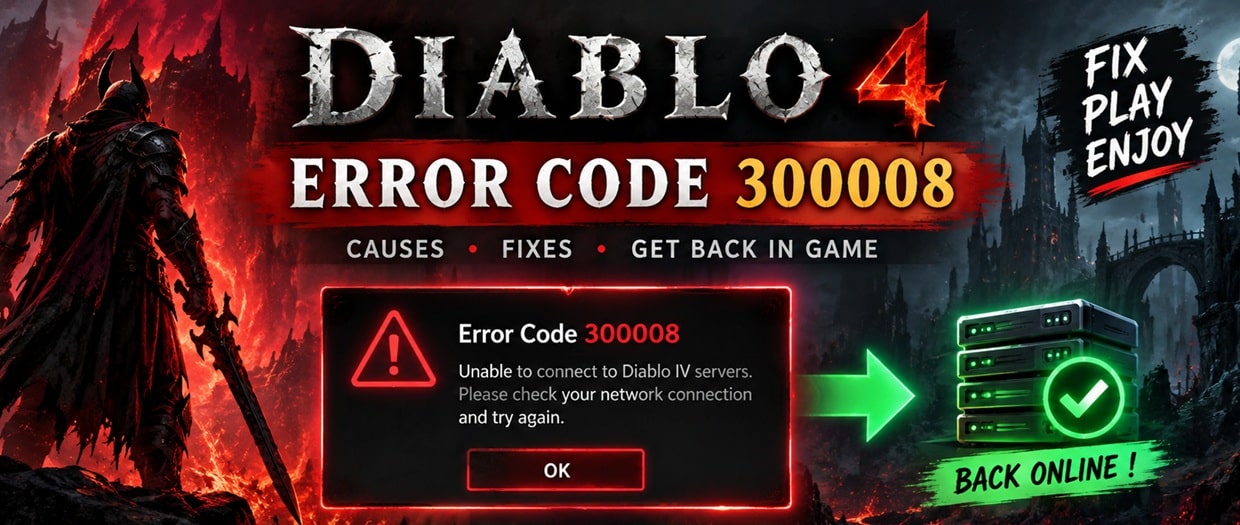
What Does Diablo 4 Error Code 300008 Mean?
Error Code 300008 is a Diablo IV login timeout error. In practical terms, your game started a login request but did not receive the required response quickly enough to complete authentication.
Blizzard lists Diablo IV Error Code 300008 in its support system as a problem involving a timed-out Diablo IV login. That distinction matters because Error 300008 should initially be treated as a login/connectivity problem, not automatically as damaged game files.
| Question | Quick Answer |
|---|---|
| What is Error 300008? | A Diablo IV login request timed out. |
| Is it always my internet? | No. Widespread authentication or login-server issues can cause it. |
| Can it happen on PC and console? | Yes. Reports have appeared from PC, PlayStation and Xbox users. |
| Should I reinstall Diablo 4? | Not as a first step. Check server and login-service status first. |
| Can restarting help? | Yes, particularly if the service is online and your login session is stale. |
Why Am I Getting Error Code 300008 in Diablo 4?
There is no single cause every time. The important clue is when, where and how many players are affected.
| Possible Cause | Typical Clue | What to Do |
|---|---|---|
| Blizzard authentication outage | Many players receive 300008 at the same time. | Check Blizzard updates and wait for service recovery. |
| Season/patch traffic | Error starts just after a major update or season launch. | Retry later rather than repeatedly reinstalling. |
| Local connection problem | Other players can connect, but you consistently cannot. | Restart networking hardware and test another connection. |
| VPN/proxy routing | Problem appears only while VPN or proxy is active. | Temporarily disable it and retry. |
| Stale login session | Error persists after a temporary disconnect. | Fully close and reopen Diablo IV/Battle.net. |
How to Fix Diablo 4 Error Code 300008
1. Check Whether Diablo 4 Servers Are Having Problems
This should be your first step, especially when Error 300008 appears immediately after maintenance, a major patch or the start of a new Diablo IV season.
- Check official Blizzard customer-support announcements.
- Look at the Diablo IV Technical Support forum for multiple fresh reports.
- See whether friends on a different ISP or platform are receiving the same error.
- If PC, PlayStation and Xbox players suddenly report it together, suspect the service before your home network.
Official source:
Blizzard Support – Diablo IV Error Code 300008
Community/incident source:
Official Diablo IV Technical Support Forum
2. Completely Restart Diablo IV
If no widespread outage is visible, fully quit Diablo IV instead of merely returning to the title screen.
- PC: Exit Diablo IV and close Battle.net, then reopen Battle.net.
- PlayStation: Close the game from the console menu and start it again.
- Xbox: Quit Diablo IV completely rather than relying on Quick Resume.
A fresh launch creates a new login attempt and can clear a temporary authentication session problem.
3. Restart Battle.net on PC
PC players should close both Diablo IV and the Battle.net desktop application. Check the system tray to make sure Battle.net is no longer running, then open it again and sign in.
If Battle.net itself cannot sign in normally, that is another clue that the issue may involve your connection to Blizzard services rather than Diablo IV’s installed files.
4. Power-Cycle Your Router
When Blizzard services appear operational but Error 300008 affects only your connection, restart your modem/router.
- Close Diablo IV.
- Turn off the router/modem.
- Leave it off briefly so the connection can fully reset.
- Turn it back on.
- Wait until internet connectivity is restored.
- Launch Diablo IV and test the login again.
5. Disable VPN or Proxy Connections Temporarily
A VPN, gaming tunnel or proxy changes the route between your device and Blizzard’s infrastructure. If the route is congested or unstable, authentication may time out.
- Disconnect the VPN or proxy.
- Restart Battle.net or Diablo IV.
- Try logging in using your normal internet route.
If Error 300008 disappears, the previous network route was likely contributing to the timeout.
6. Test a Different Network
A different connection is one of the quickest ways to separate a local/ISP problem from a Blizzard-side outage.
For a short diagnostic test, you can try another trusted internet connection or a mobile hotspot if your data allowance permits it. If Diablo IV logs in on the alternate connection but consistently fails on your normal broadband, investigate the original network or ISP route.
7. Prefer Ethernet for Testing
Wi-Fi interference can introduce packet loss or temporary latency spikes. You do not necessarily need Ethernet permanently, but testing a wired connection can help determine whether unstable Wi-Fi contributes to the login timeout.
8. Check Firewall and Security Software on PC
If Error 300008 affects only one Windows PC and the Diablo IV servers are otherwise healthy, check whether firewall or security software is interfering with Battle.net or Diablo IV connectivity.
- Make sure Battle.net and Diablo IV are permitted through your firewall.
- Avoid permanently disabling your security software.
- If you temporarily disable a security feature for testing, restore it immediately afterward.
9. Update Diablo IV and Battle.net
After maintenance or a new season begins, confirm that Diablo IV has finished downloading the required update. On PC, also allow the Battle.net client to update itself.
A version mismatch can produce different errors, but checking updates is still sensible before moving to more disruptive troubleshooting.
10. Scan and Repair Only If the Problem Looks Local
On PC, Scan and Repair is useful when game files may be damaged, but it should not be the first response to a mass login timeout.
Consider it when:
- Diablo IV crashes or behaves abnormally in addition to Error 300008.
- Only your PC is affected while other devices on the same connection work.
- The problem began following an interrupted game update.
Fastest Fix Order: Do These in Sequence
- Check for a Blizzard authentication/server incident.
- Fully restart Diablo IV.
- Restart Battle.net or your console.
- Confirm Diablo IV is fully updated.
- Restart your router.
- Disable VPN/proxy temporarily.
- Test Ethernet or another network.
- Check PC firewall/security settings.
- Use Scan and Repair only if evidence points to a local file problem.
- Reinstall only as a last resort when other evidence suggests a damaged installation.
Diablo 4 Error 300008 on PS5 and PS4
PlayStation users encountering Code 300008 should first determine whether the login problem is widespread. During the September 15, 2026 incident, PlayStation users reported the same login timeout seen by PC and Xbox players.
If services appear normal:
- Close Diablo IV completely.
- Restart the PlayStation.
- Check for a Diablo IV game update.
- Confirm PlayStation Network connectivity.
- Restart the router.
- Try a wired connection if available.
Diablo 4 Error 300008 on Xbox
On Xbox, first fully quit Diablo IV rather than resuming an old session. A stale Quick Resume session is worth eliminating before deeper troubleshooting.
- Quit Diablo IV.
- Restart the Xbox.
- Check for Diablo IV updates.
- Test the console’s network connection.
- Restart your router.
- Check whether other Diablo IV users are simultaneously reporting login trouble.
Diablo 4 Error 300008 on PC
PC players have a few additional diagnostic options because both the Battle.net application and Windows networking/security layers can affect connectivity.
- Exit Diablo IV and Battle.net completely.
- Restart Battle.net.
- Temporarily disconnect VPN/proxy software.
- Confirm Windows Firewall allows Battle.net and Diablo IV.
- Restart your network hardware.
- Try another network to isolate ISP routing.
- Use Battle.net Scan and Repair if there are signs of damaged files.
How to Tell If Error 300008 Is Server-Side
No single clue proves it, but several signs together make a Blizzard-side incident much more likely.
| What You See | Likely Interpretation |
|---|---|
| Hundreds of fresh player reports | Strong indicator of a broader service problem. |
| PC, PS5 and Xbox affected simultaneously | Makes a single-device problem less likely. |
| Problem begins just after a season launch | Login load or rollout issues become more plausible. |
| Blizzard reports authentication trouble | Treat it as a service incident until Blizzard reports recovery. |
| Only your device/connection fails | Local network or device troubleshooting becomes more useful. |
What Not to Do When Error 300008 Appears
- Do not immediately reinstall a very large game when thousands of players are reporting the same login timeout.
- Do not repeatedly change network settings during a confirmed authentication outage.
- Do not assume faster broadband prevents the error. A server-side authentication timeout can affect users with otherwise excellent connections.
- Do not permanently disable firewall or antivirus protection as a troubleshooting shortcut.
- Do not repeatedly spam the login button. Close the game, check service information and retry normally.
Why a Fast Internet Connection Can Still Get Error 300008
Internet speed and successful authentication are different things. A fast fiber connection can download data quickly, but Diablo IV still needs to communicate successfully with Blizzard’s login infrastructure. If the authentication service is overloaded, temporarily unavailable or unreachable through a particular route, the request can time out even though your speed test looks excellent.
That is why the question “Are other players getting 300008 right now?” is often more useful than immediately running another broadband speed test.
Is Diablo 4 Error Code 300008 a Ban?
No evidence in the error itself indicates an account ban. Error 300008 is associated with a Diablo IV login timeout. Account-action messages are a separate matter and should be checked through official Battle.net account/support channels.
Does Error 300008 Mean Diablo 4 Is Down?
Not necessarily. Error 300008 means your login timed out. A widespread Diablo IV or Battle.net authentication incident can cause it, but an individual network problem can produce a similar result.
The distinction is simple:
- Many players + many platforms + same time: investigate Blizzard’s service status first.
- Only you + servers otherwise healthy: investigate your connection and device.
Should You Change DNS to Fix Error 300008?
Changing DNS is sometimes suggested for almost every online-game error, but it should not be your first move here. DNS changes cannot repair an overloaded Blizzard authentication service.
Consider DNS or deeper network troubleshooting only after you have established that Diablo IV services are operational and the problem appears specific to your network.
Should You Reinstall Diablo 4?
Usually not for Error 300008 alone. Reinstallation is one of the slowest troubleshooting steps and provides little value when the error is caused by authentication infrastructure or network routing.
Reinstall only when:
- Scan and Repair repeatedly finds unrecoverable file problems.
- The installation is visibly corrupted.
- Other Diablo IV functions fail locally even after Blizzard services have returned to normal.
- Official support specifically recommends reinstalling for your situation.
Quick Diagnostic Checklist
| Check | If Yes | Next Action |
|---|---|---|
| Are many users reporting 300008? | Likely broader incident. | Check Blizzard updates and retry later. |
| Did it start after a major patch? | Server load/update rollout is possible. | Check official reports first. |
| Does another network work? | Original network/route may be involved. | Restart router or contact ISP if persistent. |
| Does disabling VPN solve it? | VPN route likely contributed. | Use the normal route or another VPN endpoint. |
| Do game files show other problems? | Local installation may need attention. | Run Scan and Repair on PC. |
Related Diablo 4 Help
For more gaming error and troubleshooting coverage, browse:
Sources & Editorial Verification
This guide distinguishes between confirmed information and troubleshooting inference. The definition of Error 300008 as a Diablo IV login timeout is based on Blizzard’s support listing. The September 2026 incident context is based on contemporaneous posts in Blizzard’s official Diablo IV forums and an acknowledgement that authentication-server trouble was causing failed or slow login attempts.
Editorial note: Last fact-checked September 16, 2026. Server incidents can change quickly. Always prioritize current information from Blizzard when diagnosing an active outage.
TL;DR – Diablo 4 Error 300008 Fix
- Error 300008 = Diablo IV login attempt timed out.
- Check Blizzard’s authentication/server status first.
- If many PC, PlayStation and Xbox users are affected, wait for Blizzard to restore service.
- If the problem is only yours, restart Diablo IV, Battle.net/console and your router.
- Temporarily disable VPN/proxy and test another network.
- Use Scan and Repair only when the evidence points to a local PC installation problem.
- Reinstallation should be a last resort, not the first fix.

Pingback: Error Code 1413677057 WARDOGS Easy Fix