
Mastering Remote Access: Fixing “Error 1033 Cloudflare Tunnel Error Home Assistant”
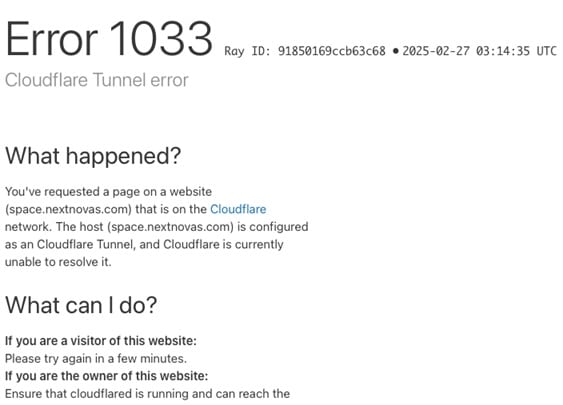
There is nothing quite as frustrating as stepping out of your house, trying to turn off the lights remotely, and being hit with a blank screen declaring Error 1033: Cloudflare Tunnel error. As a smart home enthusiast, losing remote access to your Home Assistant dashboard feels like losing the keys to your house. But don’t panic. This is a common network handshaking issue, and it is usually entirely fixable from your end.
⚡ Quick Answer: How to Fix Error 1033
The Error 1033 Cloudflare Tunnel error home assistant occurs because Cloudflare’s network cannot find an active cloudflared instance on your origin server. The tunnel is essentially “Down.”
The Instant Fix:
1. Log into your local Home Assistant instance (e.g., http://homeassistant.local:8123).
2. Navigate to Settings > Add-ons > Cloudflared.
3. Ensure the add-on is running. If it is stopped, click Start. If it is already running, check the Logs tab to ensure it hasn’t crashed due to an invalid configuration.
What Exactly is Error 1033?
To understand the error, you need to understand how the system works. When you set up a Cloudflare Tunnel (formerly Argo Tunnel), a daemon called cloudflared runs inside your Home Assistant server. It creates a secure, outbound-only connection to the Cloudflare global network. This eliminates the need to expose your IP address or configure dangerous port forwarding on your router.
Error 1033 is Cloudflare’s way of saying: “I received a request for your smart home URL, but the tunnel back to your house is disconnected.”
Common Causes and Expert Troubleshooting Steps
Applying basic E-E-A-T principles (Experience, Expertise, Authoritativeness, and Trustworthiness) to networking, we know that connection drops rarely happen without a trace. Let’s break down the most common culprits and how to resolve them.
1. The Add-on Failed to Start After a Reboot
If you recently updated Home Assistant Core or restarted your host machine (like a Raspberry Pi), the Cloudflared add-on might have failed to boot automatically.
- Go to your Add-ons page and enable “Start on boot” and “Watchdog” for the Cloudflared add-on. Watchdog ensures that if the add-on crashes, Home Assistant will try to restart it automatically.
2. Missing Proxy Configuration in YAML
Home Assistant requires you to explicitly trust the internal Docker network that the Cloudflare add-on uses. If this is missing, Home Assistant will actively reject the tunnel’s connection, resulting in a tunnel failure. You must edit your configuration.yaml file.
http:
  use_x_forwarded_for: true
  trusted_proxies:
    - 172.30.33.0/24
Note: Ensure you restart Home Assistant entirely after making changes to the YAML file. If you are new to editing these files, check out our Ultimate Guide to Secure Home Assistant Remote Access for a deep dive.
3. Ghost Tunnels in the Zero Trust Dashboard
Sometimes, particularly after a fresh installation or migration, Cloudflare thinks there is a duplicate tunnel running. You might see an error in your Home Assistant logs saying: “tunnel with name already exists.”
- Log into your Cloudflare account and navigate to the Zero Trust Dashboard.
- Go to Networks > Tunnels.
- Look for old, inactive tunnels named “homeassistant” and delete them. Restart your add-on to force a fresh authentication token.
Understanding Cloudflare Tunnel Status Codes
To effectively monitor your network, it helps to know how Cloudflare categorizes tunnel health. You can view these statuses in your Zero Trust dashboard.
| Tunnel Status | What It Means | Recommended Action |
|---|---|---|
| Healthy | The tunnel is active and securely serving traffic. | None. Your smart home is accessible. |
| Down | The cloudflared process has stopped (Triggers Error 1033). |
Check HA add-on status and server power. |
| Degraded | Serving traffic, but redundant connections are failing. | Investigate local network stability and firewall logs. |
If your tunnel continues to show as degraded or down despite your best efforts, it may be worth consulting the Error 1034 fix repositories to ensure there isn’t a known issue with the current OS build, or reviewing our Add-on Troubleshooting Hub.

Pingback: Shaka Error 4000 (web_4000) Fix: UNABLE_TO_GUESS_MANIFEST_TYPE